

User Management 
Section titled “User Management ”This page allows management of users, their roles and permissions.
Managing Users
Section titled “Managing Users”On the right side of each username is a ⋮ menu which has four menu items
- Edit User. See the section below
- Manage access tokens. Allows management of login sessions and long lived tokens the same as is shown on an individuals profile settings
- Disable User. Prevents user access. Settings are preserved
- Delete User. Completely removes a user and all of their settings
Editing Users
Section titled “Editing Users”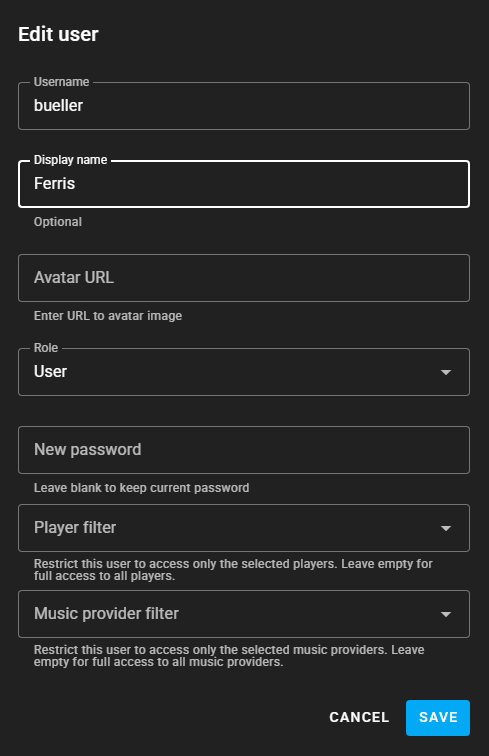
The dialog shown above appears when clicking on a username or via the ⋮ menu.
Each user can be restricted to a set of specific players. Additionally, restricting users to certain music sources offers two benefits: only these sources are used when initiating playback, and listening statistics are accurately attributed to a user’s source streaming account.
Audiobook and podcast progress sync in a multi-user environment
Section titled “Audiobook and podcast progress sync in a multi-user environment”Some podcast and/or audiobook sources allow syncing the progress of media items. By assigning such a source to only a certain user via the music source filter function, the progress is then only synced with this individual user, instead of all users. By setting up these music sources multiple times individual user syncing can be achieved by correctly assigning the source via the filter function.