

Player Providers
Section titled “Player Providers”NOTE
Players (devices) are added to Music Assistant by adding their associated player provider. Player providers are added by navigating to MA Settings and then Providers and then clicking on ADD A NEW PROVIDER
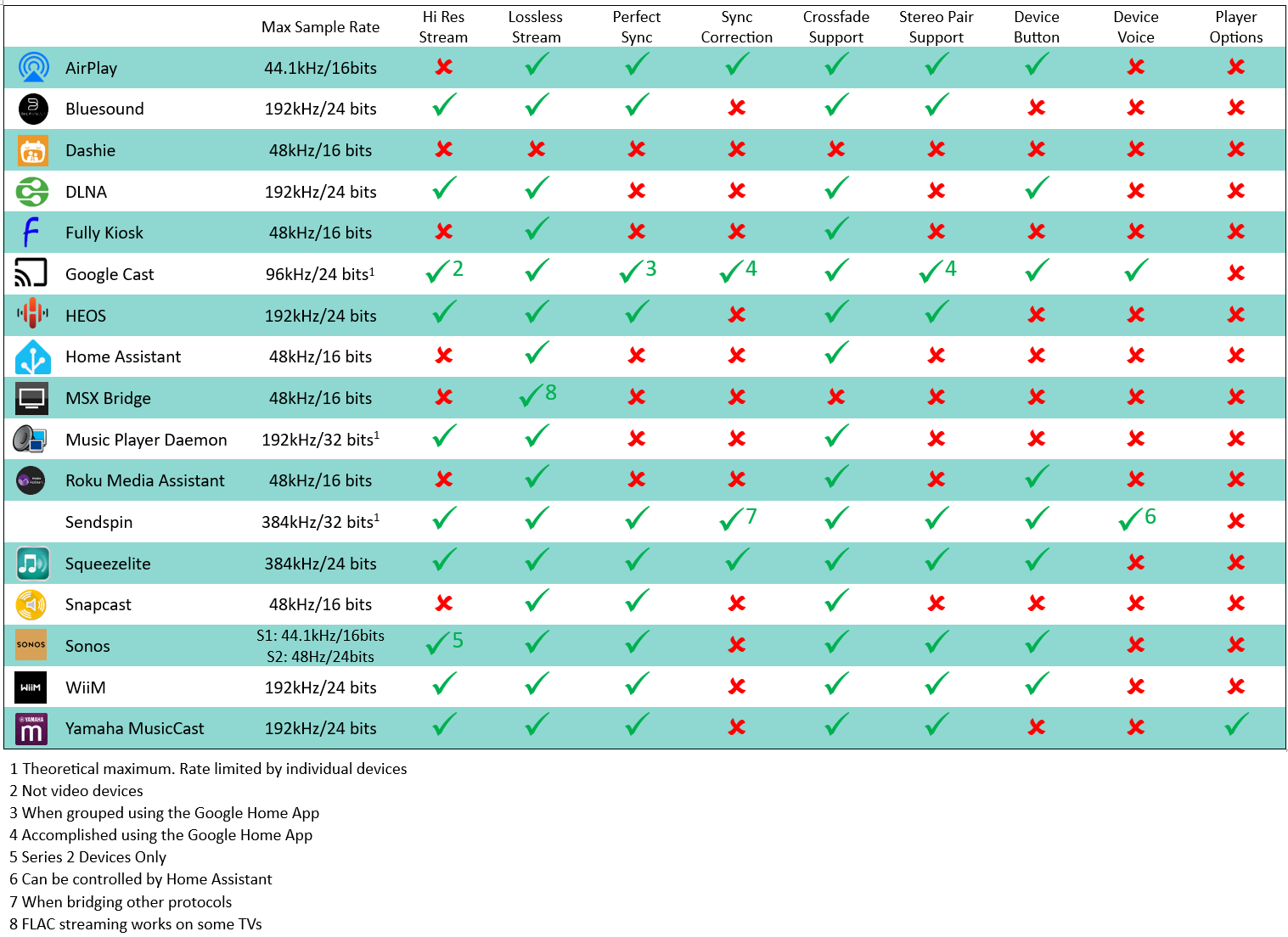
For specific player provider information refer to the relevant section in this document. For a description of possible settings refer to the Player Provider Settings and Individual Player Settings pages. When a player provider is enabled which supports auto-discovery, then the devices which support that protocol will be continuously discovered. The following table summarises player capabilities. Note that DLNA and HA players can suffer from poor implementation of required standards. If these player types do not work well and the device supports other protocols then use the other protocol.
If a device supports multiple protocols then these will be combined into one player and will be shown as chips near the player name in the settings. In the Individual Player Settings you can set the default protocol, or disable any protocols you do not use.
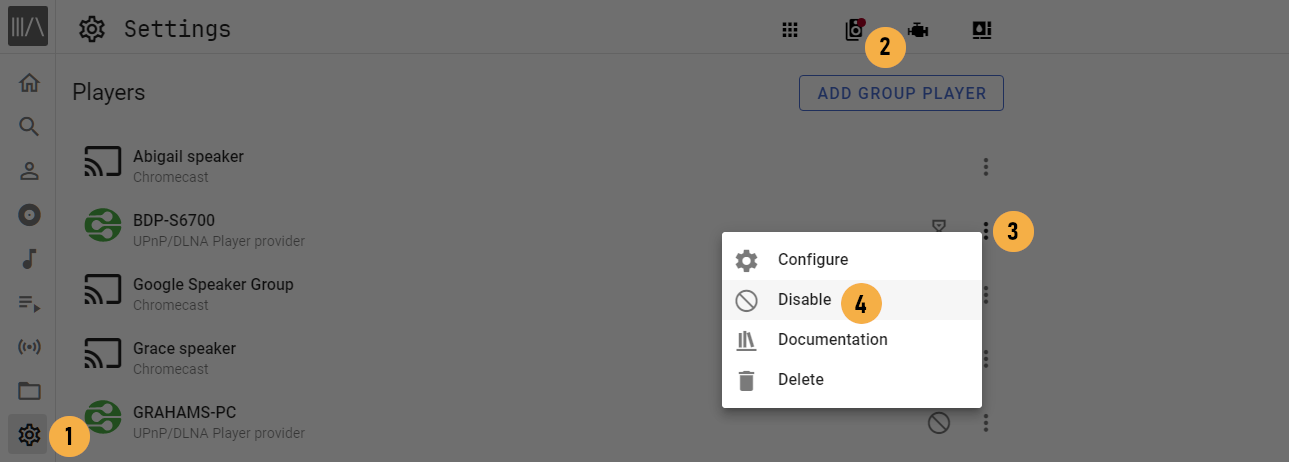
Only players provided by certain providers — that is, Home Assistant Players, Snapcast, and Universal Player — support deletion. Deleting a player can be useful to reset a problematic player’s configuration. For providers that support deletion, deleted players that are still on the network will be rediscovered automatically on the next Music Assistant restart or player provider reload.
NOTE
If any player is not transitioning between songs then check if the player has the option QUEUE FLOW MODE. Try enabling it if it does.
Audio Quality
Section titled “Audio Quality”Audio quality is the principal reason why native MA players are developed. These players provide the highest quality playback experience. HA players should work and may work well but they may also have been written with a basic objective such as enabling text to speech. Therefore, if there is a MA player available and a HA integration then you should always choose the MA player.
A sample rate above 48kHz or a bit depth above 16 is considered High Resolution (Hi Res)
Player Options
Section titled “Player Options”A player provider may optionally expose additional player specific settings (e.g. the ability to adjust the player’s native bass or treble value). These options can be accessed either within the player’s settings, or via the three-dot menu in the full-screen player view via “Player Options.”
It is planned to expose these options as entities such as number, switch, text or select entities to Home Assistant in the future.